RESTAURANT EMPLOYEE TRAINING SOFTWARE
Give new and existing team members a clearer way to learn procedures, follow preparation standards, and build confidence during real shifts.
On-screen job aids · Portion guidance · Onboarding support · Built for restaurant teams
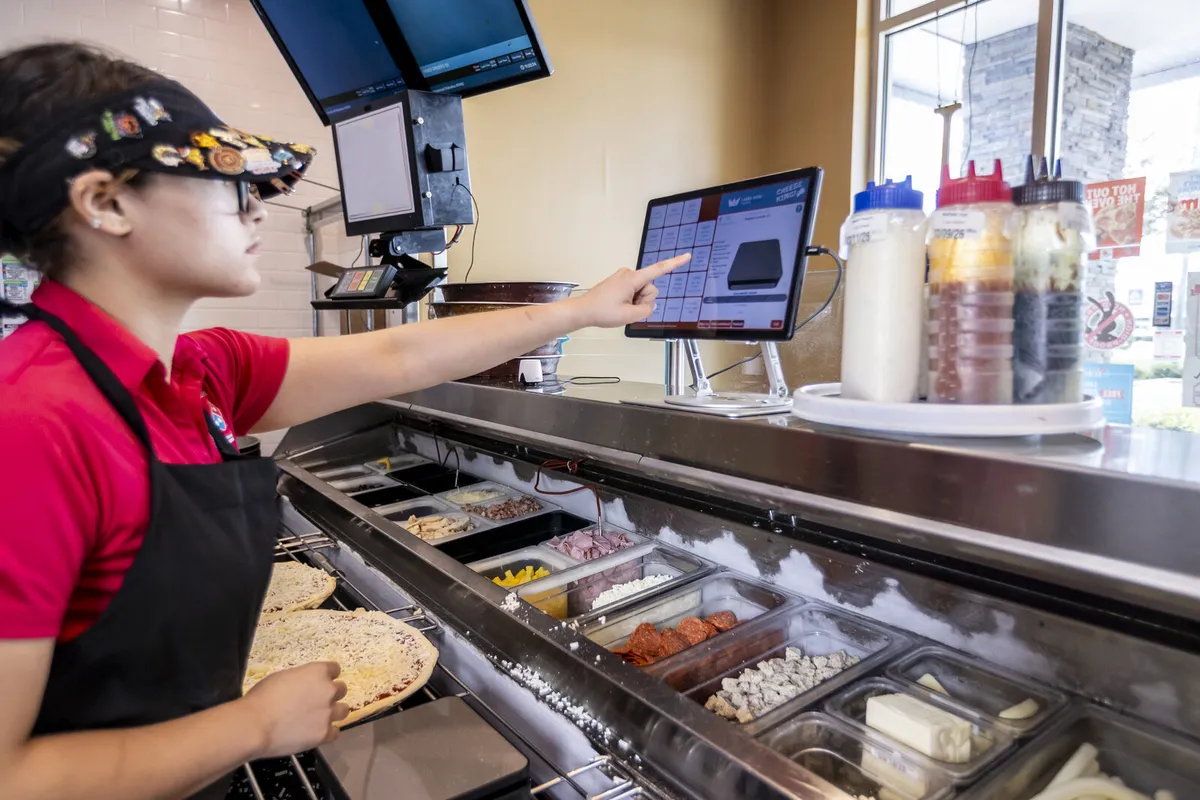
Keep preparation guidance visible at the station while employees learn and repeat the restaurant's standard.
LEARN
Give new and existing team members clear preparation, station, food-safety, labeling, and service procedures.
REFERENCE
Put visual job aids and preparation guidance close to the work, so employees can check the standard without waiting for a manager.
REINFORCE
Use checklists and manager review to connect training with the recurring procedures employees perform during real shifts.
WHAT IS RESTAURANT EMPLOYEE TRAINING SOFTWARE?
Restaurant employee training software is a digital system for delivering, organizing, and reinforcing the procedures employees need to perform their roles. Depending on the platform and configuration, it may support onboarding, visual job aids, preparation instructions, portion standards, checklists, quizzes, or manager review.
The most useful training tools connect instruction with the point of work. An employee may learn a preparation process during onboarding, refer to a job aid at the station, and complete a checklist that confirms the related procedure. That connects what the restaurant teaches with what the employee is expected to do during service.
WHY RESTAURANT TRAINING SYSTEMS MATTER
Restaurants often train employees while the operation is moving quickly. Managers may need to teach recipes, food safety, labeling, portioning, cleaning, station setup, and service expectations while keeping the shift on track. A structured training system can make that work more repeatable and reduce the amount of knowledge that depends on one manager's memory or teaching style.
- More consistent onboarding for new employees
- Clearer preparation and station procedures
- Visual guidance employees can reference while working
- A repeatable way to reinforce portion, labeling, and food-safety standards
- Better visibility into where employees need additional instruction
- Shared procedures across shifts, stores, and managers
Training software does not replace hands-on practice or management. Employees still need instruction, feedback, and time to build competence. The software provides structure and reference material so the training process is easier to repeat and review.
RESTAURANT ONBOARDING AND NEW-HIRE TRAINING
A strong onboarding process gives new employees more than a list of policies. It introduces the procedures they will use at the station, explains how those procedures affect food quality and safety, and gives them a practical way to ask questions and receive feedback.
Training may include preparation steps, recipe guidance, labeling, portioning, sanitation, equipment use, station setup, and shift procedures. The restaurant should determine which content must be completed before an employee works independently and which skills require manager observation.
New-hire training should also fit the pace of the restaurant. Instructions should be easy to find, readable at the point of work, and specific enough to reduce avoidable confusion. If training creates a bottleneck or requires employees to leave their station repeatedly, managers should adjust the workflow.
DIGITAL JOB AIDS FOR RESTAURANT EMPLOYEES
Job aids give employees a concise reference when they need to complete a procedure. In a kitchen, that may mean visual preparation guidance, a recipe build, portion instructions, labeling steps, or a reminder about a recurring task. Job aids are especially useful when employees are still learning or when a menu contains many variations.
Label King Turbo's public materials identify kitchen job aids and training as part of its restaurant operations approach. The goal is not to overload employees with information. It is to put the right instruction close to the work so employees can follow a standard without relying entirely on memory or waiting for a manager to repeat the same explanation.
Restaurants should confirm how job aids are created, updated, assigned, displayed, and reviewed, and make sure the content reflects the current recipes and procedures at each location.
HOW LABEL KING TURBO SUPPORTS RESTAURANT TRAINING
Label King Turbo connects employee training with the operational procedures employees perform every day. Food labels, temperature monitoring, portion control, checklists, and kitchen job aids each reinforce a different part of the workflow.
Portion King Turbo is described as a three-part portion-control and training system with on-screen job aids, wireless-scale portion enforcement, and onboarding support. On-screen guidance can help employees reference recipes or preparation steps at the station. A wireless scale can support weight-based portion standards when that is part of the restaurant's process.
- Use on-screen job aids to keep preparation guidance close to the station.
- Teach portion standards and reinforce them with a wireless-scale workflow when selected.
- Use checklists to give managers a way to review whether recurring procedures were completed.
- Connect training with food labeling and temperature-monitoring workflows when those tools fit the operation.
TRAINING ACROSS MULTIPLE RESTAURANT LOCATIONS
Multi-location groups need consistent standards, but each restaurant still has its own team and manager. A shared training system can give every location the same core procedures while allowing local leaders to reinforce those standards during daily operations.
Central teams can define training content, portion guidance, labeling procedures, or food-safety expectations. Local managers can use those materials during onboarding and follow up when an employee needs more practice. Operators should confirm whether the platform supports the roles, locations, assignments, review process, and reporting they need.
WHAT TO LOOK FOR IN RESTAURANT TRAINING SOFTWARE
- Onboarding workflows for new employees and role-specific procedures
- Visual job aids employees can reference at the point of work
- Recipe, portion, labeling, and preparation guidance that reflects current standards
- A way to update training content when procedures or menu items change
- Checklists or manager review that reinforce training during daily operations
- Support for consistent standards across multiple locations
- Clear records showing what training has been assigned or completed, where available
- A workflow that supports employees without slowing down service
Specific training videos, quizzes, completion records, reports, integrations, and manager controls vary by platform. Confirm those features directly before including them in an implementation plan.
TRAINING, FOOD SAFETY, AND PORTION CONTROL
Employee training is closely connected to food safety and portion control. Employees need to know how to label prepared items, follow storage procedures, use the restaurant's temperature process, prepare consistent portions, and complete required checks.
A connected restaurant operations platform can give employees clearer guidance while giving managers a practical way to reinforce the process. Training introduces the standard. Job aids provide a point-of-work reference. Portion-control tools can support measured serving standards. Checklists can document recurring procedures. Food labels and temperature monitoring can support preparation and storage workflows.
These tools support the restaurant's training and food-safety program; they do not replace manager judgment, employee practice, or the restaurant's responsibility to follow applicable requirements.
CONNECT TRAINING TO THE WORK
See how job aids, portion control, labeling, temperature monitoring, and checklists fit together in one restaurant operations platform.
Explore Restaurant Operations SoftwareFREQUENTLY ASKED QUESTIONS
What is restaurant employee training software?
Restaurant employee training software helps restaurants organize onboarding, procedures, job aids, preparation guidance, and manager follow-up so employees can learn and apply consistent standards across shifts.
Does Label King Turbo offer restaurant employee training software?
Label King Turbo identifies training, new-hire training, and kitchen job aids as parts of its restaurant operations solution. Portion King Turbo is also described as including onboarding and on-screen job aids. Exact training features and configuration should be confirmed with a specialist.
Can training software replace hands-on restaurant training?
No. Digital training can organize instruction and provide references, but employees still need practice, feedback, and manager oversight before they can perform procedures independently.
Can restaurant training software support portion control?
Yes. Training can teach employees the restaurant's portion standards, while job aids and wireless-scale workflows can reinforce those standards when they are part of the selected configuration.
Can restaurant training software support food safety?
It can reinforce procedures related to labeling, temperature monitoring, sanitation, storage, preparation, and recurring checks. The restaurant remains responsible for establishing and maintaining its food safety procedures.
Does Label King Turbo integrate with a POS or scheduling system?
The current public materials document training, job aids, portion control, food labeling, temperature monitoring, checklists, and kitchen operations. They do not establish a specific POS or scheduling integration. Any integration requirements should be confirmed with a specialist.
BUILD A MORE CONSISTENT TEAM
Give employees clearer training and point-of-work guidance with a connected restaurant operations platform.